1) Go to the Platform
Open your browser and navigate to:
app.render-a.com
2) Create Your Account
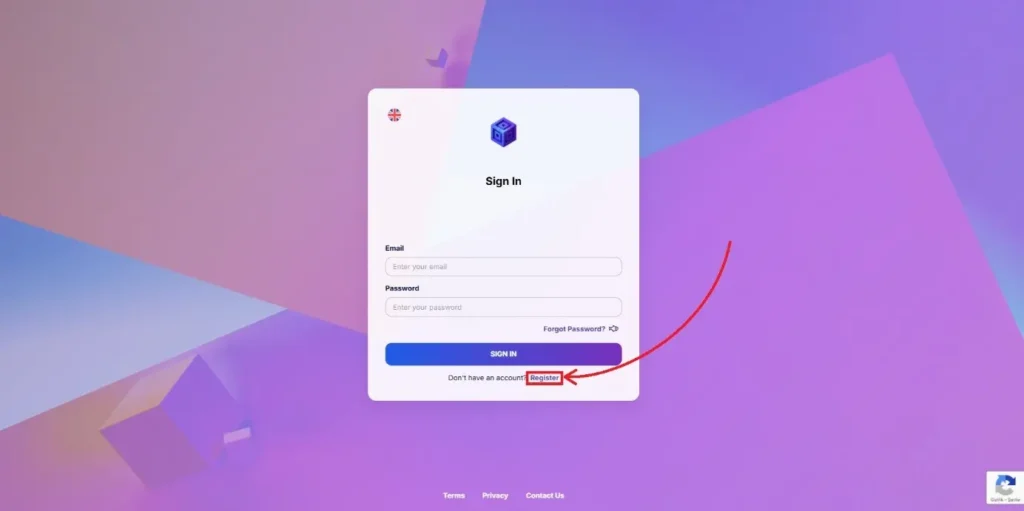
Click Register to start the sign-up process.
3) Select Your Plan
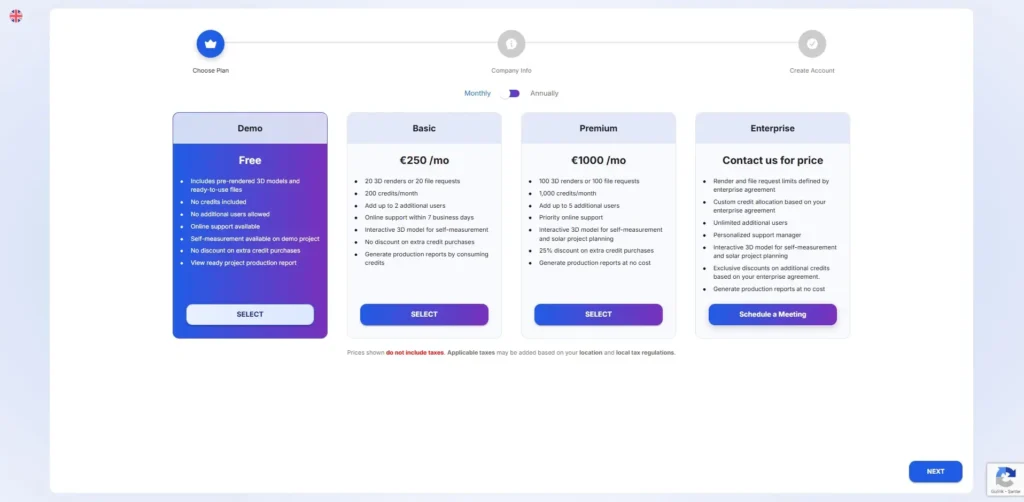
Choose the plan that best suits your needs.
- You can switch the billing method from monthly to annual to receive a 14% discount.
- After selecting your preferred plan, click Next.
4) Enter Company Information
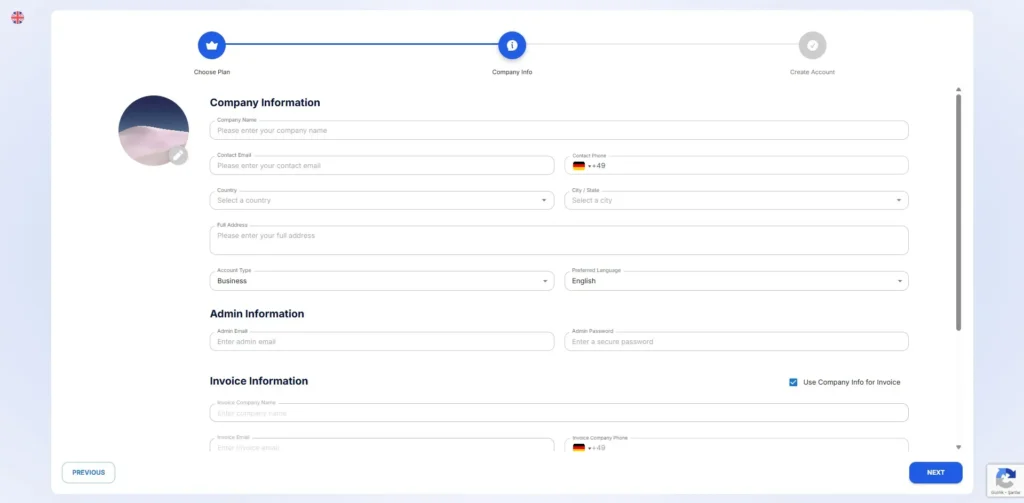
Fill in your company details. These will be used for invoicing.
- If you are signing up for personal use, you can change the account type accordingly.
- VAT may apply depending on your country and account type.
- If you are located in an EU country, enter your valid VAT Number.
Your VAT number will be automatically verified.
If verification fails, please wait 5 minutes and try again.
5) Email Verification
A verification code will be sent to the admin email address you provided.
- Enter the code within 5 minutes to complete your registration.
6) Sign In
After verification, you will be redirected to the sign-in page.
- Enter your admin email and password to access your account.
7) Start Using Render-a
Success!
You can now:
- Explore the Demo Project created for you, or
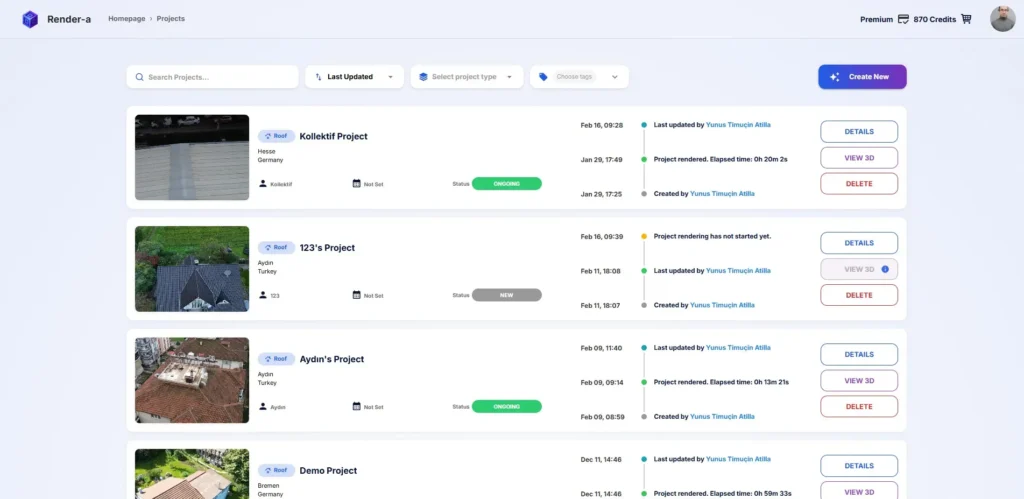
- Create your own project using drone images collected during your site survey.